How to Complete a Stripe Digital ID Check as a Referee in Referoo
Quick Overview
This article explains how referees complete a Stripe Digital Identity (ID) Check in Referoo. It covers when the Digital ID Check appears, the steps to complete it, and what to expect once it has been processed.
The Request to Complete the Digital ID Check
If you are asked to complete a Digital Identity (ID) Check through Referoo, the Verify Identity section will be shown on your Referee Dashboard.
The Verify Identity section may not be visible when you first access your Referee Dashboard. A Digital ID Check can be requested by the candidate’s Recruiter or HR Manager at any time.

We recommend you complete the Digital ID Check straight away, but you can press the Next button to continue through to provide your reference first, then return to complete it at a later time.
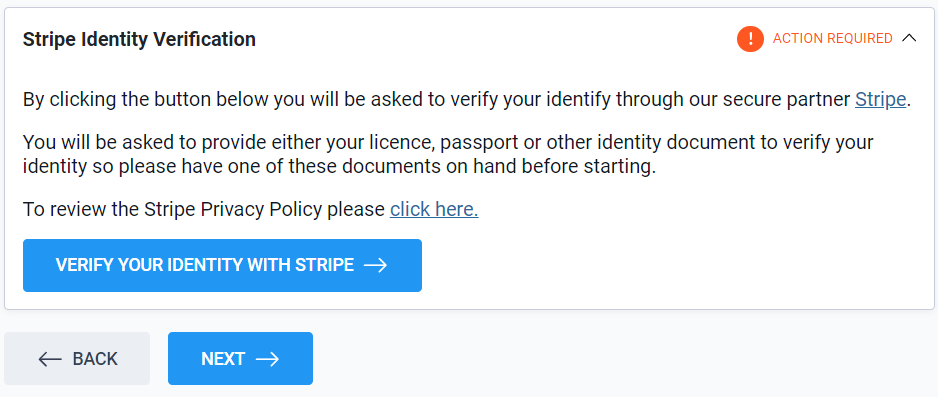
It generally takes only a few minutes to complete if you have your licence, passport, or visa documents close-by.
Completing the Digital ID Check
From your Referee Dashboard select Verify Your Identity With Stripe shown on your screen.
Continue through the prompts. If you prefer not to use the QR Code, select the **Other options** button underneath to see other ways to complete the Digital ID Check.
⚠️ Providing the ID Document ⚠️
- The types of Photo ID Documents that can be submitted vary per country.
- You can choose which type of acceptable ID you want to submit.
- You can only submit one ID Document for each Stripe Digital ID request.
- The acceptable documents are listed per country on Stripe’s website.
It generally takes **less than 2 minutes** for Stripe to process your Digital ID Check.
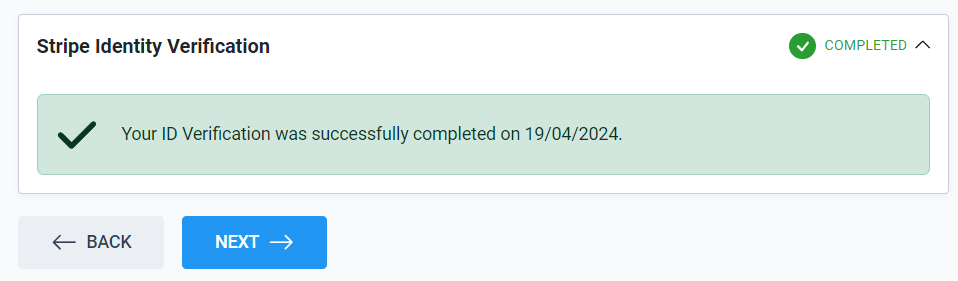
Once done, you **will see a green tick and confirmation message on your dashboard**.
Digital ID Check Email Notifications
You will continue to receive email reminders from Referoo for a number of days if you choose not to complete the Digital ID Check right away.
Your Referee Dashboard will clearly show a green completion tick once it is all done and processed, but you will not receive another email confirming you have completed it.
Frequently Asked Questions
Where does the Digital ID Check appear?
The Digital ID Check appears in the Verify Identity section of your Referee Dashboard once it has been requested.
How long does the Digital ID Check take to complete?
It usually takes only a few minutes to complete, and generally less than 2 minutes for Stripe to process.
Can I complete my reference before finishing the Digital ID Check?
Yes. You can press the Next button to provide your reference first and return to complete the Digital ID Check later.
Will I receive an email once the Digital ID Check is finished?
No. You will see a green tick and confirmation message on your dashboard, but you will not receive another confirmation email.
Need Help?
If you need assistance, please contact Referoo support via the chatbox on any Referoo page or email support@referoo.com.