Referee Statuses
Quick Overview
This article explains the different referee status icons shown in the Referoo Candidate Dashboard. It helps candidates understand what each status means and what actions may be required while a reference check is in progress.
Accessing Your Candidate Dashboard
When you first access your Candidate Dashboard, you will be asked to review the details that the recruiter or hiring manager has provided about you. If a reference check is required, you will also be asked to provide the contact details for each of your referees.
If you are unsure how to fill out the referee form or manage your referees, please refer to the guide:
Adding Your Referees
What the Status Icons Mean
After entering your referee details, they will be saved and a status icon will appear next to each referee. The icon changes as your referee progresses through the reference request.
Red Status
A red status means your recruiter has requested a specific number of referees. This status will remain until you provide contact details for all required referees.

Yellow Status
Status " Referee Not Contacted":

- Your recruiter or hiring manager has chosen not to send automatic emails to your referee(s)
Some recruiters or hiring managers prefer to review referee details before sending an email to them, or they may be planning to give your referee(s) a call instead.
As soon as you save your referee’s details, your recruiter receives an email notification and will either:- Call your referee – after the phone call the status will update to green and reflect that this reference is completed.
- Trigger an email and/or SMS invite– the status will remain yellow and reflect that this referee has been contacted.
- Your referee could not be contacted on the email address provided
This same status may display if we were unable to deliver the invite to the referee’s email address.
You will have received an email from Referoo advising that the referee could not be automatically contacted. Please check your spam folder if you cannot find it in your inbox.
From your Candidate Dashboard, go to the Referees section and select the name of a referee to edit their details. If you edit the referee’s email address and/or phone number, a new invite will be re-triggered to the updated contact details.
If your referee stays in this status for more than 1 business day and you are unsure what to do, please send a message through the chatbox on any Referoo page and Referoo support will help to investigate.
Status " Awaiting referee response":
 An email and/or SMS invite has been sent to the contact details you provided for that referee, and the email has not been rejected by that email inbox.
❗️NOTE❗️
If your referee is set to any status listed below this note you can no longer edit their details. They have already started filling out your reference so their details are locked in.
Status "Referee Consented":

The referee has completed the first step on the way to filling out your reference: they have signed the consent statement.
Status "Referee Confirmed Details":
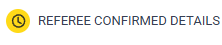 The referee has completed the second step on the way to filling out your reference: they have reviewed (possibly edited) and confirmed the contact and relationship information you provided about them.
Green Status
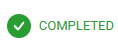
Once the reference check is completed by the referee the icon will turn green. They are all done and your recruiter has received the completed check. No further action from you is required.
Viewing Communications Status
You will be able to view the communications that were sent to your referees by accessing the Referees page. At the bottom of the selected referee's profile you will be able to see an auto-communication section. Here you will be able to see each contact attempt with the timestamp and time zone;
- Pending - This means that the communication is queued in line to be sent out. We send out communications during business hours of your referees time zone.
- Sent - This means that the invite was successfully sent out/delivered to your referee.
- Not Delivered - Blocked - This means that your referee's email blocked/unsubscribed to our emails and we were unable to deliver the invite. If a landline was entered in as a contact number the status will remain as not delivered.
- Not Delivered - Bounced- This means that we were unable to deliver the invite. Some common causes are:
- Typo or Invalid Address: The email address entered incorrectly or the user deleted the account.
- Full Mailbox: The referee's inbox has exceeded their storage limit.
- Server Blocking: The receiving mail server blocks our message due to strict security or missing authentication records.
Please note : If a landline was entered in as a contact number the status will remain as not delivered.

Auto-send off
This means that your recruiter would like to review your referees before they manually send the invites to your referees. 
Frequently Asked Questions
My referee has not received anything from Referoo. What should I do?
Check the referee’s contact details in your Candidate Dashboard. Update them if needed to resend the invite, and ask your referee to check their spam or junk folder.
Can I edit referee details after they have started the reference?
No. Once a referee has started completing the reference, their details are locked.
Why is my referee status still yellow?
A yellow status means the referee has been contacted but has not yet completed the reference, or the recruiter is managing contact manually.
What does a red referee status mean?
A red status means you have not yet provided all required referee contact details.
Need Help?
If you need assistance, please contact Referoo support via the chatbox on any Referoo page or email support@referoo.com.